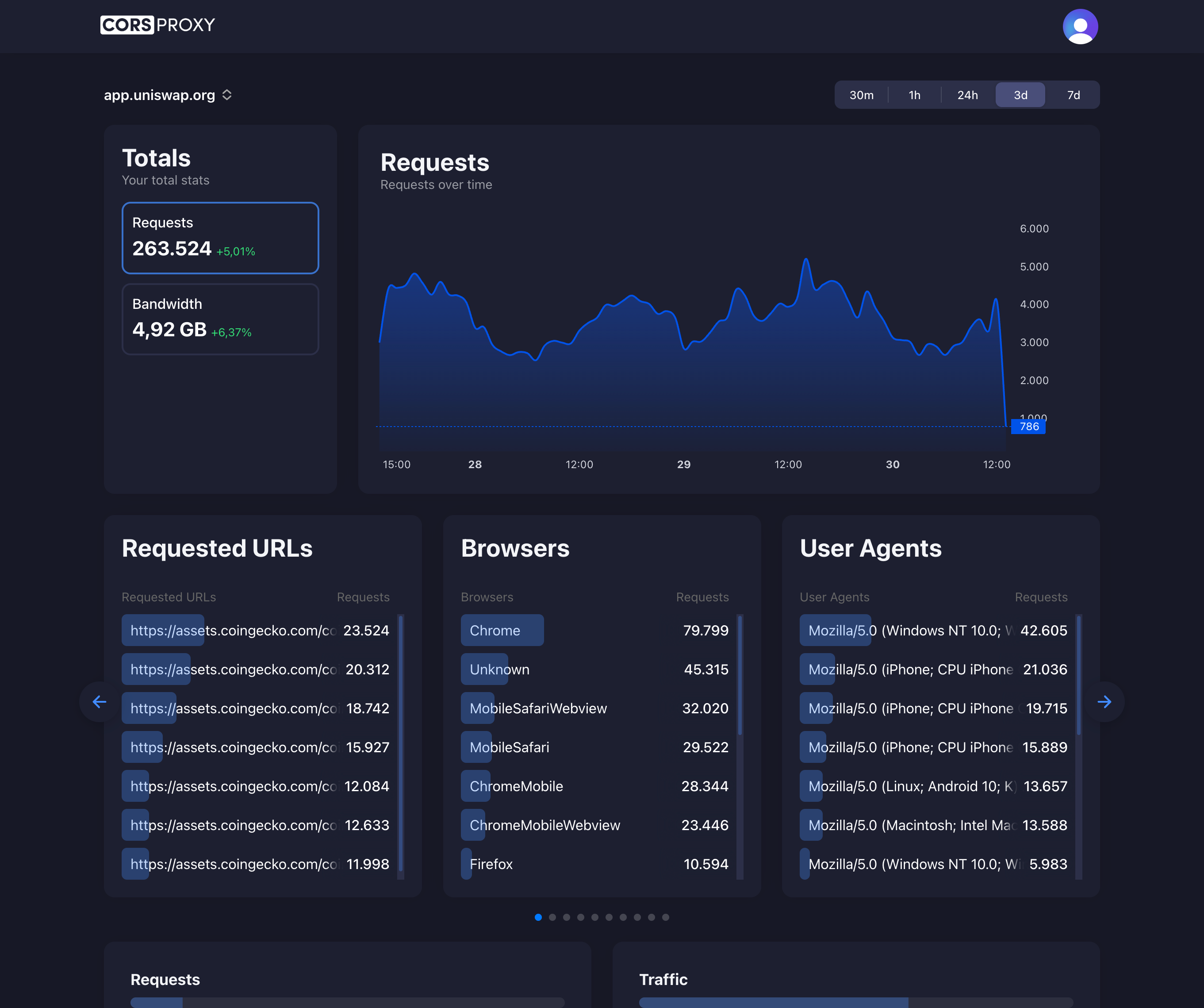
Before copying a CORSPROXY request, replace the API-key placeholder with your account key and register the browser app’s domain. Free is for browser requests; server-side use needs a paid plan, and conversion, extraction, or custom caching needs Production. Follow the first-request guide for setup and error diagnosis.
Phaser is one of the most popular HTML5 game frameworks, powering thousands of browser games. When loading assets from external sources like CDNs, APIs, or other domains, developers frequently encounter CORS (Cross-Origin Resource Sharing) errors. This comprehensive guide covers everything you need to know about handling CORS in Phaser games.
Table of Contents
- Understanding CORS in Phaser
- Phaser’s Built-in CORS Settings
- Common CORS Error Scenarios
- Setting Up a CORS Proxy
- Loading Different Asset Types
- Dynamic Asset Loading
- Production Best Practices
Understanding CORS in Phaser
When your Phaser game runs in a browser, it’s subject to the Same-Origin Policy. This security feature prevents your game from loading resources from different domains unless those domains explicitly allow it through CORS headers.
How Phaser Loads Assets
Phaser’s loader creates HTML elements (like <img> for images, <audio> for sounds) and makes HTTP requests to fetch assets. For cross-origin requests, these elements need the crossOrigin attribute set, and the server must respond with appropriate Access-Control-Allow-Origin headers.
Why CORS Errors Occur
Access to image at 'https://external-cdn.com/sprite.png' from origin
'https://mygame.com' has been blocked by CORS policy:
No 'Access-Control-Allow-Origin' header is present on the requested resource.
This error means:
- Your game (at mygame.com) requested an image from external-cdn.com
- The CDN didn’t include CORS headers allowing your domain
- The browser blocked the response
Phaser’s Built-in CORS Settings
Phaser provides several ways to configure cross-origin loading.
Game Configuration
Set crossOrigin in your game config:
const config = {
    type: Phaser.AUTO,
    width: 800,
    height: 600,
    loader: {
        crossOrigin: 'anonymous',
        baseURL: 'https://assets.example.com/'
    },
    scene: {
        preload: preload,
        create: create
    }
};

const game = new Phaser.Game(config);
Using setCORS in Preload
function preload() {
    // Set CORS mode for subsequent loads
    this.load.setCORS('anonymous');

    // Set base URL for all assets
    this.load.setBaseURL('https://assets.example.com/');

    // Now load assets
    this.load.image('player', 'sprites/player.png');
    this.load.image('enemy', 'sprites/enemy.png');
}
Per-Asset Configuration
For individual assets, you can specify CORS settings:
function preload() {
    // Load with specific cross-origin setting
    this.load.image({
        key: 'external-sprite',
        url: 'https://other-domain.com/sprite.png',
        crossOrigin: 'anonymous'
    });
}
CrossOrigin Values
| Value | Meaning |
|---|---|
'anonymous' | Request without credentials (cookies, auth headers) |
'use-credentials' | Request with credentials (requires server support) |
undefined | No cross-origin request (same-origin only) |
Common CORS Error Scenarios
Scenario 1: CDN Without CORS Headers
Problem: Your CDN doesn’t send CORS headers.
Solution: Configure your CDN to include CORS headers, or use a CORS proxy:
function preload() {
    const CORS_PROXY = 'https://corsproxy.io/?key=YOUR_API_KEY&url=';
    const assetUrl = 'https://cdn-without-cors.com/image.png';

    this.load.image('asset', CORS_PROXY + encodeURIComponent(assetUrl));
}
Scenario 2: Local Development
Problem: Loading files directly from filesystem (file://) protocol.
Solution: Use a local development server:
# Using Python
python -m http.server 8080

# Using Node.js
npx serve .

# Using PHP
php -S localhost:8080
Scenario 3: Different Subdomains
Problem: Game at game.example.com loading from assets.example.com.
Solution: Configure assets subdomain to allow the game subdomain:
# On assets.example.com
add_header 'Access-Control-Allow-Origin' 'https://game.example.com';
Scenario 4: Canvas Tainted Error
Problem: After loading, you get “The canvas has been tainted by cross-origin data.”
Cause: The image loaded but crossOrigin wasn’t set, tainting the canvas.
Solution: Always set crossOrigin for external images you’ll manipulate:
this.load.setCORS('anonymous');
this.load.image('sprite', 'https://external.com/sprite.png');
Setting Up a CORS Proxy
When you can’t control the source server, use a CORS proxy service like corsproxy.io.
Basic Proxy Usage
class AssetLoader {
    constructor(scene) {
        this.scene = scene;
        this.corsProxy = 'https://corsproxy.io/?key=YOUR_API_KEY&url=';
        this.useProxy = true; // Toggle for development
    }

    getUrl(url) {
        if (this.useProxy && this.isExternal(url)) {
            return this.corsProxy + encodeURIComponent(url);
        }
        return url;
    }

    isExternal(url) {
        return url.startsWith('http://') || url.startsWith('https://');
    }

    loadImage(key, url) {
        this.scene.load.image(key, this.getUrl(url));
    }

    loadSpritesheet(key, url, frameConfig) {
        this.scene.load.spritesheet(key, this.getUrl(url), frameConfig);
    }

    loadAudio(key, url) {
        this.scene.load.audio(key, this.getUrl(url));
    }
}

// Usage in scene
function preload() {
    this.assetLoader = new AssetLoader(this);
    this.assetLoader.loadImage('player', 'https://external-cdn.com/player.png');
}
Conditional Proxy Based on Environment
const IS_DEVELOPMENT = window.location.hostname === 'localhost';

const config = {
    corsProxy: IS_DEVELOPMENT ? '' : 'https://corsproxy.io/?key=YOUR_API_KEY&url=',

    assets: {
        local: '/assets/',
        remote: 'https://game-assets.example.com/'
    }
};

function getAssetUrl(path, forceProxy = false) {
    // Local assets don't need proxy
    if (path.startsWith('/') || path.startsWith('./')) {
        return path;
    }

    // Apply proxy if needed
    if (forceProxy || config.corsProxy) {
        return config.corsProxy + encodeURIComponent(path);
    }

    return path;
}
Loading Different Asset Types
Images and Spritesheets
function preload() {
    this.load.setCORS('anonymous');

    // Single image
    this.load.image('logo', proxyUrl('https://cdn.example.com/logo.png'));

    // Spritesheet
    this.load.spritesheet('characters', proxyUrl('https://cdn.example.com/chars.png'), {
        frameWidth: 32,
        frameHeight: 48
    });

    // Texture atlas
    this.load.atlas(
        'atlas',
        proxyUrl('https://cdn.example.com/atlas.png'),
        proxyUrl('https://cdn.example.com/atlas.json')
    );
}
Audio Files
function preload() {
    // Audio with multiple formats for browser compatibility
    this.load.audio('music', [
        proxyUrl('https://cdn.example.com/music.ogg'),
        proxyUrl('https://cdn.example.com/music.mp3')
    ]);

    // Audio sprite
    this.load.audioSprite(
        'sfx',
        proxyUrl('https://cdn.example.com/sfx.json'),
        [
            proxyUrl('https://cdn.example.com/sfx.ogg'),
            proxyUrl('https://cdn.example.com/sfx.mp3')
        ]
    );
}
JSON and Data Files
function preload() {
    // Level data
    this.load.json('level1', proxyUrl('https://api.example.com/levels/1'));

    // Tilemap
    this.load.tilemapTiledJSON('map', proxyUrl('https://cdn.example.com/map.json'));
}
Video
function preload() {
    // Note: Video loading with CORS requires special handling
    this.load.video('intro', proxyUrl('https://cdn.example.com/intro.mp4'), true);
}

function create() {
    const video = this.add.video(400, 300, 'intro');
    video.play();
}
Dynamic Asset Loading
Sometimes you need to load assets at runtime, not just during preload.
Loading During Gameplay
class GameScene extends Phaser.Scene {
    loadExternalImage(key, url) {
        return new Promise((resolve, reject) => {
            // Use proxy for external URLs
            const finalUrl = url.includes('://')
                ? 'https://corsproxy.io/?key=YOUR_API_KEY&url=' + encodeURIComponent(url)
                : url;

            this.load.image(key, finalUrl);

            this.load.once('complete', () => {
                resolve(this.textures.get(key));
            });

            this.load.once('loaderror', (file) => {
                reject(new Error(`Failed to load: ${file.url}`));
            });

            this.load.start();
        });
    }

    async loadUserAvatar(playerId, avatarUrl) {
        try {
            await this.loadExternalImage(`avatar_${playerId}`, avatarUrl);
            return this.add.image(100, 100, `avatar_${playerId}`);
        } catch (error) {
            console.error('Avatar load failed:', error);
            return this.add.image(100, 100, 'default_avatar');
        }
    }
}
Fetching Remote Data
async function fetchLevelData(levelId) {
    const apiUrl = `https://api.mygame.com/levels/${levelId}`;
    const proxyUrl = 'https://corsproxy.io/?key=YOUR_API_KEY&url=' + encodeURIComponent(apiUrl);

    try {
        const response = await fetch(proxyUrl);
        if (!response.ok) throw new Error('Network response was not ok');
        return await response.json();
    } catch (error) {
        console.error('Failed to fetch level:', error);
        return null;
    }
}

// In your scene
async function loadLevel(levelId) {
    const levelData = await fetchLevelData(levelId);
    if (levelData) {
        this.buildLevel(levelData);
    } else {
        this.loadFallbackLevel();
    }
}
Base64 Encoding Fallback
For small images, you can bypass CORS entirely by converting to base64:
async function loadImageAsBase64(url) {
    const proxyUrl = 'https://corsproxy.io/?key=YOUR_API_KEY&url=' + encodeURIComponent(url);
    const response = await fetch(proxyUrl);
    const blob = await response.blob();

    return new Promise((resolve) => {
        const reader = new FileReader();
        reader.onloadend = () => resolve(reader.result);
        reader.readAsDataURL(blob);
    });
}

// Usage
async function preloadWithBase64() {
    const base64Image = await loadImageAsBase64('https://external.com/sprite.png');
    this.textures.addBase64('sprite', base64Image);
}
Production Best Practices
1. Cache Proxy Responses
class CachedAssetLoader {
    constructor(scene) {
        this.scene = scene;
        this.cache = new Map();
    }

    async loadWithCache(key, url) {
        if (this.cache.has(url)) {
            return this.cache.get(url);
        }

        const proxyUrl = 'https://corsproxy.io/?key=YOUR_API_KEY&url=' + encodeURIComponent(url);

        return new Promise((resolve, reject) => {
            this.scene.load.image(key, proxyUrl);

            this.scene.load.once('complete', () => {
                this.cache.set(url, key);
                resolve(key);
            });

            this.scene.load.once('loaderror', reject);
            this.scene.load.start();
        });
    }
}
2. Implement Fallback Assets
function preload() {
    // Set up error handler
    this.load.on('loaderror', (file) => {
        console.warn(`Failed to load: ${file.key}, using fallback`);

        // Load a local fallback
        switch(file.type) {
            case 'image':
                this.load.image(file.key, 'assets/fallback-image.png');
                break;
            case 'audio':
                this.load.audio(file.key, 'assets/fallback-audio.mp3');
                break;
        }
    });

    // Attempt to load external assets
    this.load.image('player', proxyUrl('https://cdn.example.com/player.png'));
}
3. Host Critical Assets Locally
// Asset configuration
const assets = {
    // Critical assets - always local
    core: {
        player: 'assets/sprites/player.png',
        tiles: 'assets/sprites/tiles.png',
        ui: 'assets/ui/interface.png'
    },

    // Optional assets - can be external
    extras: {
        skins: 'https://cdn.example.com/skins/',
        music: 'https://cdn.example.com/music/'
    }
};

function preload() {
    // Load core assets directly (no proxy needed)
    Object.entries(assets.core).forEach(([key, url]) => {
        this.load.image(key, url);
    });
}

// Load extras on demand
async function loadExtraSkin(skinId) {
    const url = assets.extras.skins + skinId + '.png';
    return loadWithProxy('skin_' + skinId, url);
}
4. Monitor Load Performance
function preload() {
    const startTime = performance.now();

    this.load.on('complete', () => {
        const loadTime = performance.now() - startTime;
        console.log(`Assets loaded in ${loadTime.toFixed(2)}ms`);

        // Track in analytics
        if (window.analytics) {
            analytics.track('assets_loaded', { duration: loadTime });
        }
    });

    this.load.on('progress', (progress) => {
        // Update loading bar
        this.loadingBar.setProgress(progress);
    });
}
5. Use Environment-Based Configuration
// config.js
const environments = {
    development: {
        assetsUrl: '/assets/',
        corsProxy: '',
        debug: true
    },
    staging: {
        assetsUrl: 'https://staging-cdn.example.com/',
        corsProxy: 'https://corsproxy.io/?key=YOUR_API_KEY&url=',
        debug: true
    },
    production: {
        assetsUrl: 'https://cdn.example.com/',
        corsProxy: 'https://corsproxy.io/?key=YOUR_API_KEY&url=',
        debug: false
    }
};

const env = process.env.NODE_ENV || 'development';
export const config = environments[env];
Conclusion
CORS issues in Phaser games are common but manageable. The key strategies are:
- Configure Phaser’s CORS settings using
setCORS('anonymous')for external resources - Use a CORS proxy like corsproxy.io when you can’t control the source server
- Host critical assets locally to avoid CORS issues entirely
- Implement fallbacks for graceful degradation when external assets fail
By combining these approaches, you can build Phaser games that reliably load assets from any source while providing a great experience for your players.